

Yandex Portable
github.com/Tensionix/yandex-portable ↗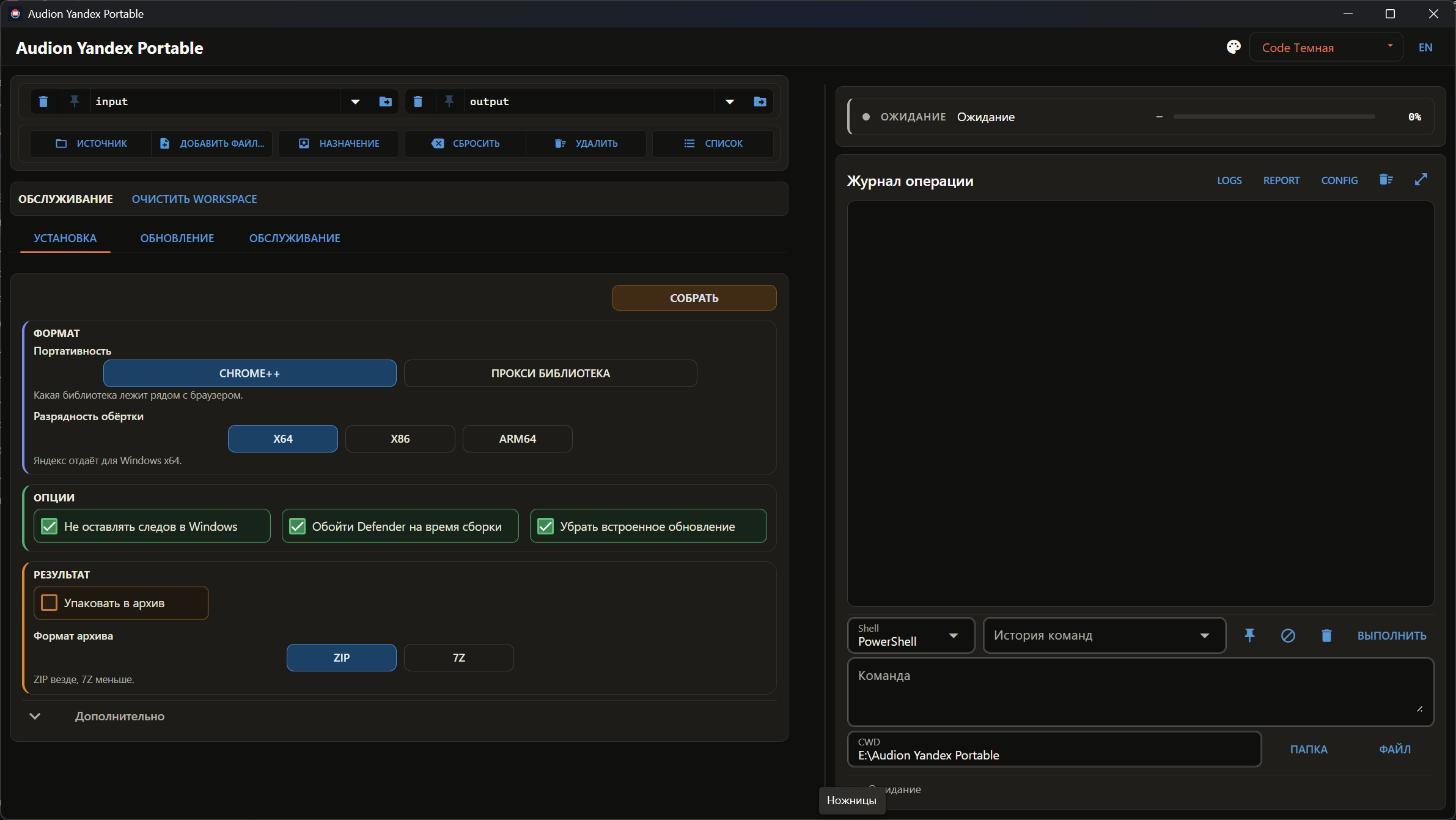
Yandex liefert keinen portablen Build; dieses Programm baut einen und hält ihn aktuell. In die Registry wird nichts geschrieben, und den Ordner zu löschen entfernt den Browser. Ein zusätzlicher Nutzen: Die russischen Stammzertifikate sind bereits enthalten, deshalb öffnen Behördenportale sofort.
6 Downloads über GitHubAudion Yandex Portable
Contents
Builds a portable Yandex Browser, keeps it updated, and keeps Chrome++ current — the add-on the portability itself rests on.
Why It Exists
Yandex Browser has no portable build, and there are two reasons to want one — the second not obvious.
First: the browser is separated from the system and travels as a folder. The ordinary benefit of portability.
Second: the Russian state root certificates are already embedded in it. Russian state portals issue certificates absent from the Windows store; other browsers will not open those sites without them, so the roots have to be installed into the system. Yandex Browser carries them itself — which means a portable build opens such sites without touching the system certificate store at all.
Nothing is installed into Windows: the distribution is unpacked, not run.
How It Works
The full distribution is an executable with exactly one archive of the browser in its resources. The program extracts it and lays it out into a build folder: the browser, the profile, a launcher.
Chrome++
The build's portability rests on it, so it is updated alongside the browser itself.
One thing is worth knowing: a build can fail during packing with a file access error — and that is neither the disk nor a corrupt archive, but the antivirus inspecting a freshly written executable. Covered in tools\CHROME_PLUS_AND_DEFENDER.md (Russian).
Next
- User Guide — step by step.
- Checklist — what is run before a release (Russian).
tools\CHROME_PLUS_AND_DEFENDER.md— Chrome++ and the antivirus.tools\DECISIONS_EN.md— decisions taken.
Technical Reference
What Is in the Build
The browser, a profile with bookmarks and extensions, a launcher, and a record of which versions are inside. It travels whole and leaves no trace in the system.
Updating
What the vendor released is compared against what is in the build. Only what changed is updated; the profile is left alone.
Das Programm ist portabel: der entpackte Ordner ist das installierte Programm. In die Registry wird nichts geschrieben; zum Entfernen den Ordner löschen.
$name = "Audion_Yandex_Portable_v1.0.2_Full.zip"
Invoke-WebRequest "https://audion.dev/get/yandex-portable/1.0.2/Audion_Yandex_Portable_v1.0.2_Full.zip" -OutFile $name
Invoke-WebRequest "https://audion.dev/get/yandex-portable/1.0.2/Audion_Yandex_Portable_v1.0.2_Full.zip.sha256" -OutFile "$name.sha256"
$want = (Get-Content "$name.sha256").Split(" ")[0]
$have = (Get-FileHash $name -Algorithm SHA256).Hash.ToLower()
if ($want -ne $have) { throw "Prüfsumme stimmt nicht: der Download ist beschädigt" }
Expand-Archive $name -DestinationPath ".\yandex-portable"