

Doc to PDF
github.com/Tensionix/doc-to-pdf ↗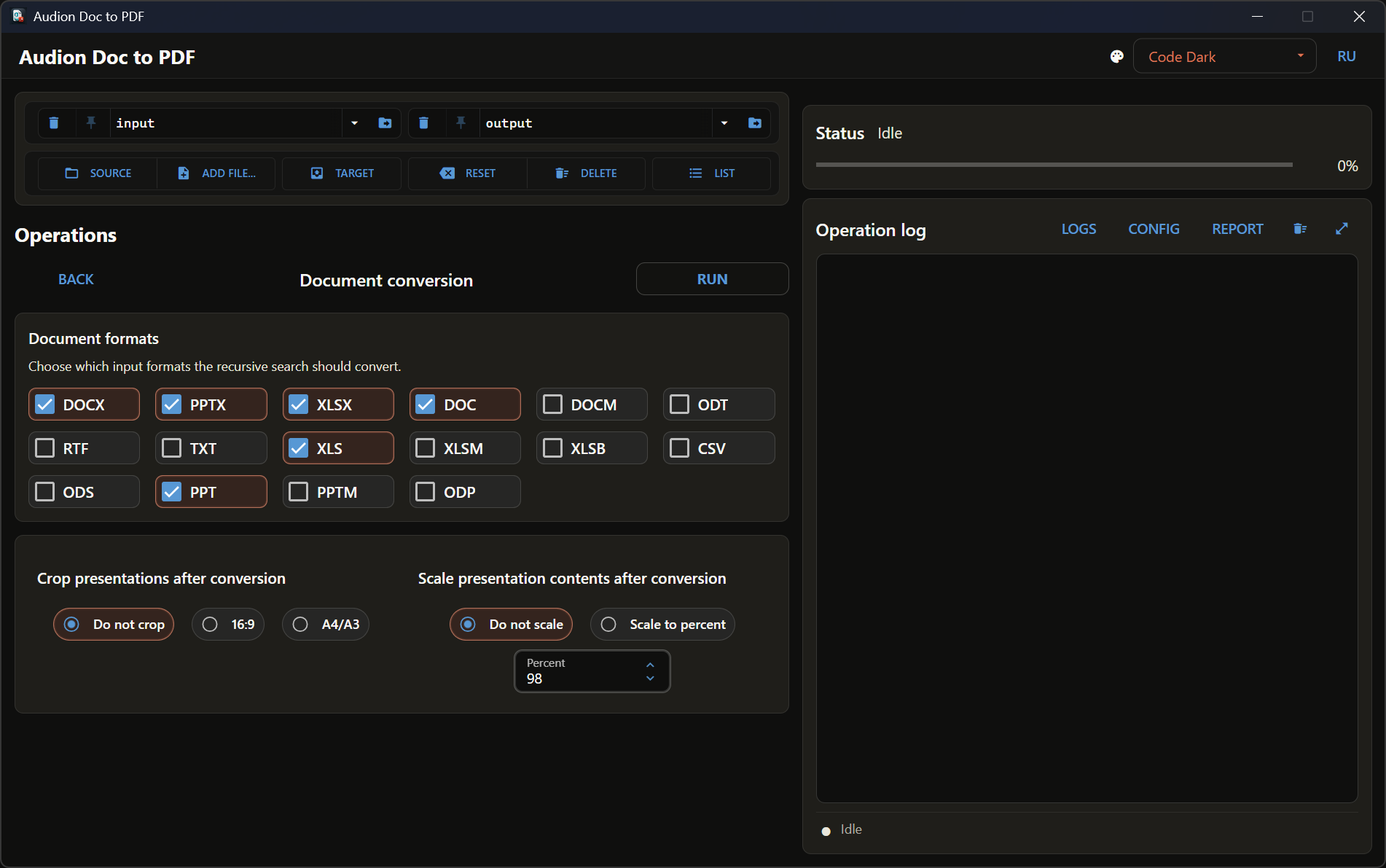
Converts documents in batches through Microsoft Office itself rather than a third-party engine: layout, fonts and captions stay where they were. Plus the usual finishing pass over the resulting PDFs.
3 downloads from GitHubAudion Doc to PDF
Contents
Batch conversion of Word, Excel, and PowerPoint into PDF — through the native export of Office itself. Plus routine processing of existing PDFs.
Why It Exists
There are a dozen ways to get a PDF out of an Office document, and almost all of them spoil the result: third-party engines lose fonts, break numbering, move tables elsewhere. The only one that reliably produces what you see on screen is Office itself.
But Office cannot do it in bulk. Opening two hundred files and pressing "Save as PDF" two hundred times is not work for a human.
The program takes that over: the export stays native, and the batching is added around it.
Principles
The folder structure is preserved. The walk is recursive and the output mirrors the source tree. Two hundred files from twenty folders do not collapse into one.
Existing PDFs are processed too. Not everything comes from Office: some material is already PDF and needs the same treatment — cropping to format, assembly, splitting.
Presentations are cropped afterwards. The export produces the page as it is, and fitting to 16:9 or an A-series size is a separate step — so the original export stays unspoilt.
What It Can Do
Recursive folder conversion preserving structure, single-file conversion, cropping presentations to 16:9 or A-series, routine processing of existing PDFs.
Next
- User Guide — step by step.
Technical Reference
Requirement
An installed Microsoft Office: it performs the export, the program only drives the process.
Workbench Naming
One shared vocabulary across all Audion projects: Source, Add file…, Target, Reset, Delete, List.
The program is portable: the unpacked folder is the installed program. Nothing is written to the registry; to uninstall, delete the folder.
$name = "Audion_Doc_to_PDF_v1.6.2_Full.zip"
Invoke-WebRequest "https://audion.dev/get/doc-to-pdf/1.6.2/Audion_Doc_to_PDF_v1.6.2_Full.zip" -OutFile $name
Invoke-WebRequest "https://audion.dev/get/doc-to-pdf/1.6.2/Audion_Doc_to_PDF_v1.6.2_Full.zip.sha256" -OutFile "$name.sha256"
$want = (Get-Content "$name.sha256").Split(" ")[0]
$have = (Get-FileHash $name -Algorithm SHA256).Hash.ToLower()
if ($want -ne $have) { throw "checksum mismatch: the download is corrupt" }
Expand-Archive $name -DestinationPath ".\doc-to-pdf"