

DevOps Tools
github.com/Tensionix/devops-tools ↗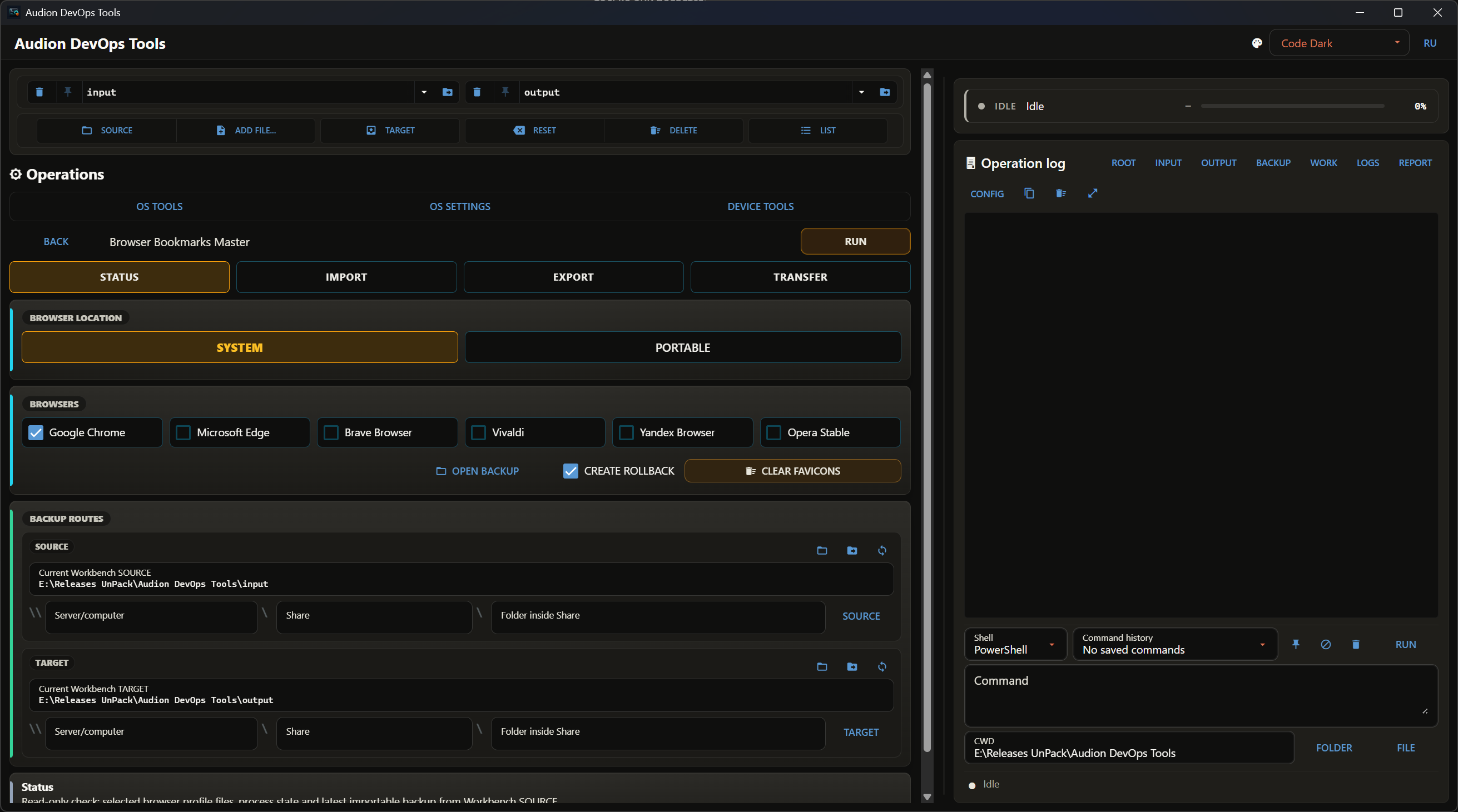
Nimmt sich das vor, was am schwersten zu reparieren ist: Defekte in Windows, bei Treibern und im WLAN. Dazu Export und Import der wertvollsten Einstellungen — beim Umzug auf einen neuen Rechner kommen Zugänge, Schlüssel und Dateizuordnungen in einem Zug mit. Hier wird Windows nicht mit einer Handvoll Häkchen gesäubert und nicht über Telemetrie gestritten. Hier geschieht die Arbeit, für die man sonst ein Dutzend Konsolen öffnet: WSL, Virtualisierung, Netzwerkadapter und WLAN, hosts, Dateizuordnungen, Treiber- und NVIDIA-Richtlinien, SSH-Schlüssel und Zertifikate. Jede Aktion läuft über einen dokumentierten Windows-Mechanismus — DISM, bcdedit, netsh, wsl.exe — statt über Eingriffe in geschützte Registry-Zweige. Vor Riskantem wird gesichert, an jeder Schaltfläche steht das Risiko, und alles ist im laufenden Protokoll sichtbar.
Audion DevOps Tools
Contents
- Why It Exists
- Principles
- What Is Inside
- Next
- Technical Reference
- Running
- Maintenance
- Verification
- Structure
- Working Folders
- Microsoft Documentation Behind It
A portable shell for precise operations on Windows: the Linux subsystem, virtualisation, drivers and hardware, disks, networking, file associations, keys and certificates.
Why It Exists
There is a class of tasks with no good tool for them. Not "speed up Windows" and not "strip out the bloat" — but do one precise thing and know exactly what you did: install a Linux distribution from a file, switch the machine between Hyper-V and a third-party hypervisor, stop Windows Update from replacing a graphics driver, snapshot file associations before and after installing something, export a certificate together with its private key.
Each of those is done by different means: wsl.exe here, bcdedit there, a registry policy somewhere else, PowerShell commands elsewhere again. They are all documented, but scattered — and half of them require remembering what to roll back if it goes wrong.
This program gathers them in one place, with explicit parameters, risk labels, a backup before every change, and a live log.
It is not a debloater and not a collection of tweaks. Associations are not forged by defeating Windows protections, and the registry is not edited directly where a documented mechanism exists. The program wraps the standard administration tools rather than fighting the system.
Principles
Wrap what is documented. The Linux subsystem goes through wsl.exe. Wi-Fi profiles through netsh wlan. Associations through the deployment mechanism and machine-wide policy. Certificates through PowerShell over the system stores. User choice hashes and the protection around them are never bypassed by hand.
A copy before the change. The boot configuration, associations, the hosts file, network state, the driver store — anything that changes is snapshotted into backup\ first.
A risk label on every command. Muted button tones separate the gentle, the ordinary, and the forceful; dangerous actions require confirmation. Paired workflows — backup and restore, export and import, block and unblock — are framed together so the way back is always in view.
The interface is deliberately technical. Buttons are short, captions compact, and the full context — what exactly will happen, what you risk, how to undo it — lives in the tooltip. Space is saved on the caption, not on the explanation.
An unsupported edition is not a target. Home editions of Windows do not guarantee that group policies apply; the program shows the edition and by default refuses to apply where it would not work.
Nothing is pulled from neighbouring folders. Every tool lives inside the project. Historical folders are read only for comparison or recovery, and only when explicitly asked.
What Is Inside
| section | about |
|---|---|
| Linux subsystem | features and updates, install from the network or a file, status, backup, clone, move, delete, register disks |
| Virtualisation | read-only status and diagnostics, Hyper-V or third-party mode, coexistence, toggles with a boot-config backup and reboot warnings |
| Networking | diagnostics, backup and restore of network state, proxy, adapters, sign-in to shared folders, Wi-Fi profiles, quick modes |
| Hosts and Bitrix | redirecting an address to a local endpoint, endpoint detection, DNS and port status, byte-exact restoration of hosts from backup |
| Associations | snapshot and comparison of defaults, policy protection, Microsoft built-in apps — remove, restore, keep removed — reinstall blocking, change tracking |
| Hardware and drivers | blocking drivers from updates, graphics driver restrictions, driver store backup, HDMI and DisplayPort audio, disk inventory, recovery environment, SSD wizard |
| Keys | export and import of SSH keys and certificates, gathering every credential into one folder with an inventory, moving to a new machine |
| Maintenance | backup of command-assistant memory, cache cleanup, shortcuts, bundled file search |
Next
- User Guide — working through the sections, and the order of
operations for the dangerous subsystems.
Technical Reference
Running
Start.exeStart.exe asks for administrator rights once — deployment, the hosts file, network adapters, disk work and Linux subsystem setup need them. Answering "no" opens the window without them: the rights badge in the machine row shows it, a click on it restarts the window with the rights, and an operation that needs them asks Windows for them itself.
Without the question about the rights:
set AUDION_GUI_NO_ELEVATE=1
Start.exeEvery button of the window is an operation of the console command, and it can be run from the command line:
devops_cli.cmd describe sections, operations and fields (JSON)
devops_cli.cmd run --operation dns_status an operation, output to the console
devops_cli.cmd check --operation <operation> whether it may run, and what to ask first
devops_cli.cmd options --operation <operation> --field <field>
devops_cli.cmd versionIndividual entry points for one section:
cli\launcher_wsl.cmd
cli\launcher_bitrix.cmd
cli\launcher_default_apps.cmd
cli\launcher_association_defense.cmd
cli\launcher_hardware.cmdThey go through the same manifest and service layer as the window, so behaviour matches.
Maintenance
init_folders.cmd create missing working folders
cleanup_project.cmd careful cleanup
cleanup_project.cmd /DRYRUN /Y show the plan, delete nothingCleanup keeps scripts, configuration, documentation, licences, the built window, and the folders themselves. It removes what was generated or downloaded: the runtime, the wheel store, builds, downloads, logs, reports, working-folder contents, and caches.
Verification
install\verify_portable_env.cmd environment, console command, built window
runtime\python.exe -m pytest -q tests
runtime\python.exe system_core\doctor.py the environment aloneThe window is built from Source\ by install\Build-App.cmd; it needs the .NET 10 SDK.
Structure
Start.exe starts the window
App\ the window and the PowerShell of the program (AudionPs.exe)
Source\ the sources of the window
devops_cli.cmd the console command
config\tool_manifest.yaml operation tree, fields, risk metadata
config\window_layout.yaml sections and pages of the window
system_core\cli.py the console command: operations of the manifest
system_core\core\jobs.py operation runner, output decoding
system_core\services\ system actions
system_core\cli_operation.py operations for the cli\ menus
tools\ project-local utilities
backup\ snapshots and rollback data
logs\ operation logsThe service boundary. The window holds no system logic: it collects parameters, shows risk and confirmation, and starts the operation through the console command. System actions live in services, project modules, and project scripts; operation definitions live in tool_manifest.yaml.
Working Folders
Two rows sit above the terminal. SOURCE is where imports read from: keys, certificates, Wi-Fi profiles, copies; until another is chosen it is the input folder. TARGET is where exports, backups and reports go; until another is chosen it is the output folder. Both rows remember earlier and pinned folders.
Microsoft Documentation Behind It
- Application defaults policy
- Associations through deployment servicing
- Wi-Fi profiles
- Linux subsystem commands
Exports of SSH keys, certificates with private parts, and Wi-Fi passwords are sensitive: the resulting archives are stored as secrets.
Das Programm ist portabel: der entpackte Ordner ist das installierte Programm. In die Registry wird nichts geschrieben; zum Entfernen den Ordner löschen.
$name = "Audion_DevOps_Tools_v2.0.0_Full.zip"
Invoke-WebRequest "https://audion.dev/get/devops-tools/2.0.0/Audion_DevOps_Tools_v2.0.0_Full.zip" -OutFile $name
Invoke-WebRequest "https://audion.dev/get/devops-tools/2.0.0/Audion_DevOps_Tools_v2.0.0_Full.zip.sha256" -OutFile "$name.sha256"
$want = (Get-Content "$name.sha256").Split(" ")[0]
$have = (Get-FileHash $name -Algorithm SHA256).Hash.ToLower()
if ($want -ne $have) { throw "Prüfsumme stimmt nicht: der Download ist beschädigt" }
Expand-Archive $name -DestinationPath ".\devops-tools"