

Setup for Total Commander
github.com/Tensionix/setup-for-total-commander ↗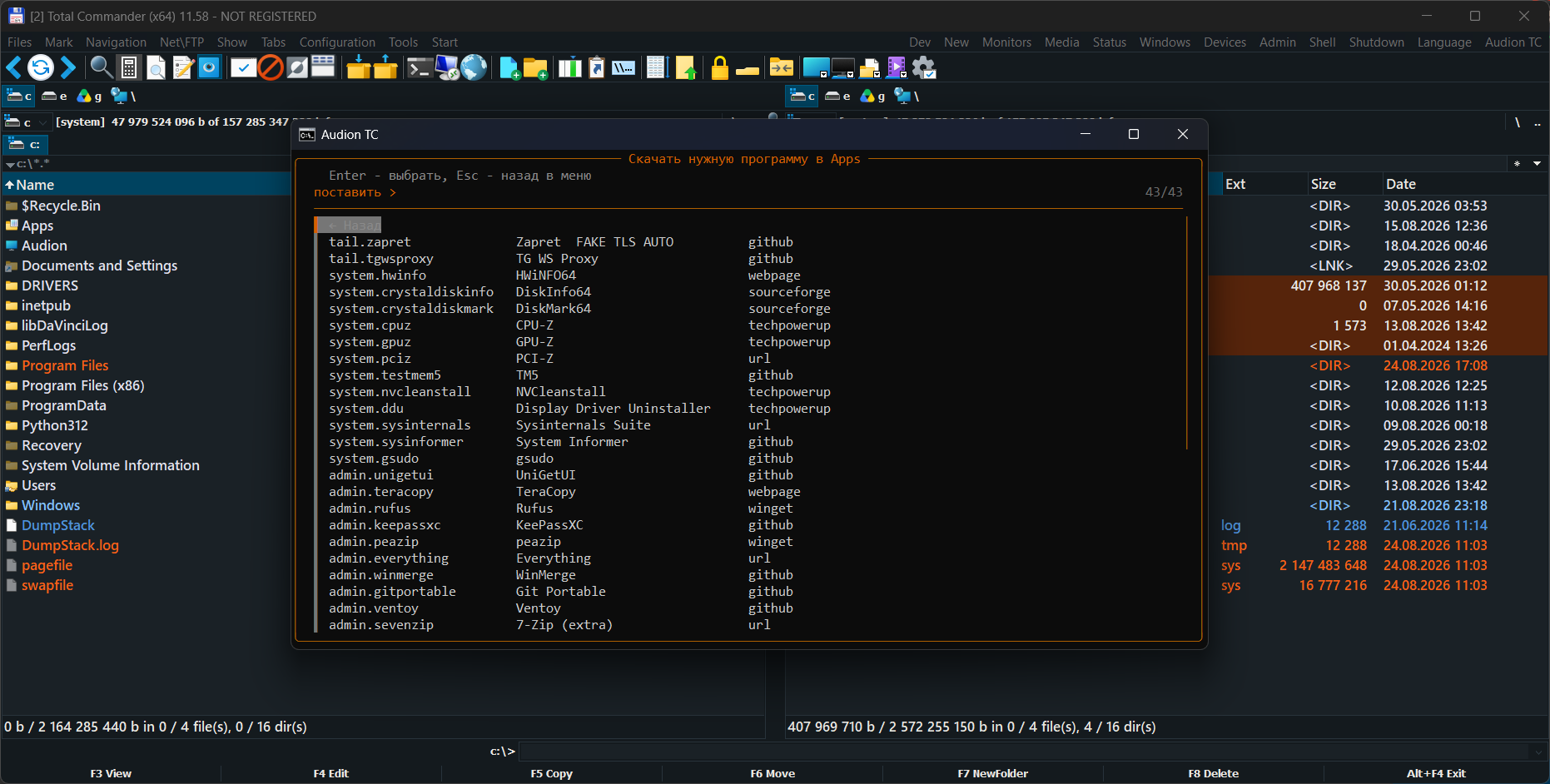
Eine vollständige Installation des bekannten Dateimanagers, fein abgestimmt über fast alles, was er heute kann: eine große Auswahl an Editoren, Menüs und Systemeinstellungen — ohne die Panels zu verlassen. Acht Megabyte Konfiguration statt hundertdreißig, und keine einzige fremde Datei. Total Commander selbst ist nicht enthalten und wird nicht verändert: Weitergegeben wird nur das Eigene — Panels, Menüs, Farben, Skripte, Konfigurationen — und als Ganzes auf ein frisches Programm aufgespielt. Fehlt der Manager noch, holt ihn das Set selbst von der Seite des Entwicklers: Der Installer wird direkt gelesen, ohne fremde Entpacker. Für alle, die einem Kollegen ihre Arbeitseinrichtung geben wollen und nicht einen Build mit fremden Dateien darin. Lieber nichts installieren? Dann nehmen Sie TC Portable.
9 Downloads über GitHubAudion Setup for Total Commander
A file manager configuration that can be distributed.
Why It Exists
A configured file manager means panels, menus, colours, shortcuts, embedded scripts. It takes years to assemble and travels badly: the settings are spread across several files, some in a non-standard encoding, some tied to paths.
The Central Decision
The manager itself is not included and is not modified.
The package contains only what is ours: panels, menus, colours, scripts, configuration. All of it is applied to a freshly installed manager as complete baselines — not piecemeal, and not by editing what is already there.
From which the main point follows: the package can be distributed. It contains no third-party program, so there is no question of the right to redistribute one.
Next
- Run
Setup_En.exein the root (Setup_Ru.exeis the same wizard in Russian):
it asks where to install, which set (Initial / Audion / Ultimate, or a profile by occupation), which menu language, and which programs, editors and plugins you want. It fetches Total Commander itself.
- If the way out goes through a proxy - the "Proxy" button in the top corner of the window:
an address like http://127.0.0.1:8080 or socks5://name:password@10.0.0.5:1080, and the button knocks through it before taking it. The address is yours alone: none sits in the code, it lives only while the window is open and reaches the installation through the environment - neither disk nor log sees it, so a password in it leaves no trace.
- The build speaks one language throughout, and the Total Commander menu sets it:
the console, the program installer, the picker and the atlas read the choice from Wincmd.ini and answer in it. To switch, use the "Interface language" item. A German menu gets English scripts — the manager has a German translation, our strings do not.
- The build's documentation lives in
Payload\Docs\:USER_GUIDE.mdfor the
daily work, PROJECT.md for how it is built.
Das Programm ist portabel: der entpackte Ordner ist das installierte Programm. In die Registry wird nichts geschrieben; zum Entfernen den Ordner löschen.
$name = "Audion_Setup_for_Total_Commander_v3.2.0_Full.zip"
Invoke-WebRequest "https://audion.dev/get/setup-for-total-commander/3.2.0/Audion_Setup_for_Total_Commander_v3.2.0_Full.zip" -OutFile $name
Invoke-WebRequest "https://audion.dev/get/setup-for-total-commander/3.2.0/Audion_Setup_for_Total_Commander_v3.2.0_Full.zip.sha256" -OutFile "$name.sha256"
$want = (Get-Content "$name.sha256").Split(" ")[0]
$have = (Get-FileHash $name -Algorithm SHA256).Hash.ToLower()
if ($want -ne $have) { throw "Prüfsumme stimmt nicht: der Download ist beschädigt" }
Expand-Archive $name -DestinationPath ".\setup-for-total-commander"