

Setup for Total Commander
github.com/Tensionix/setup-for-total-commander ↗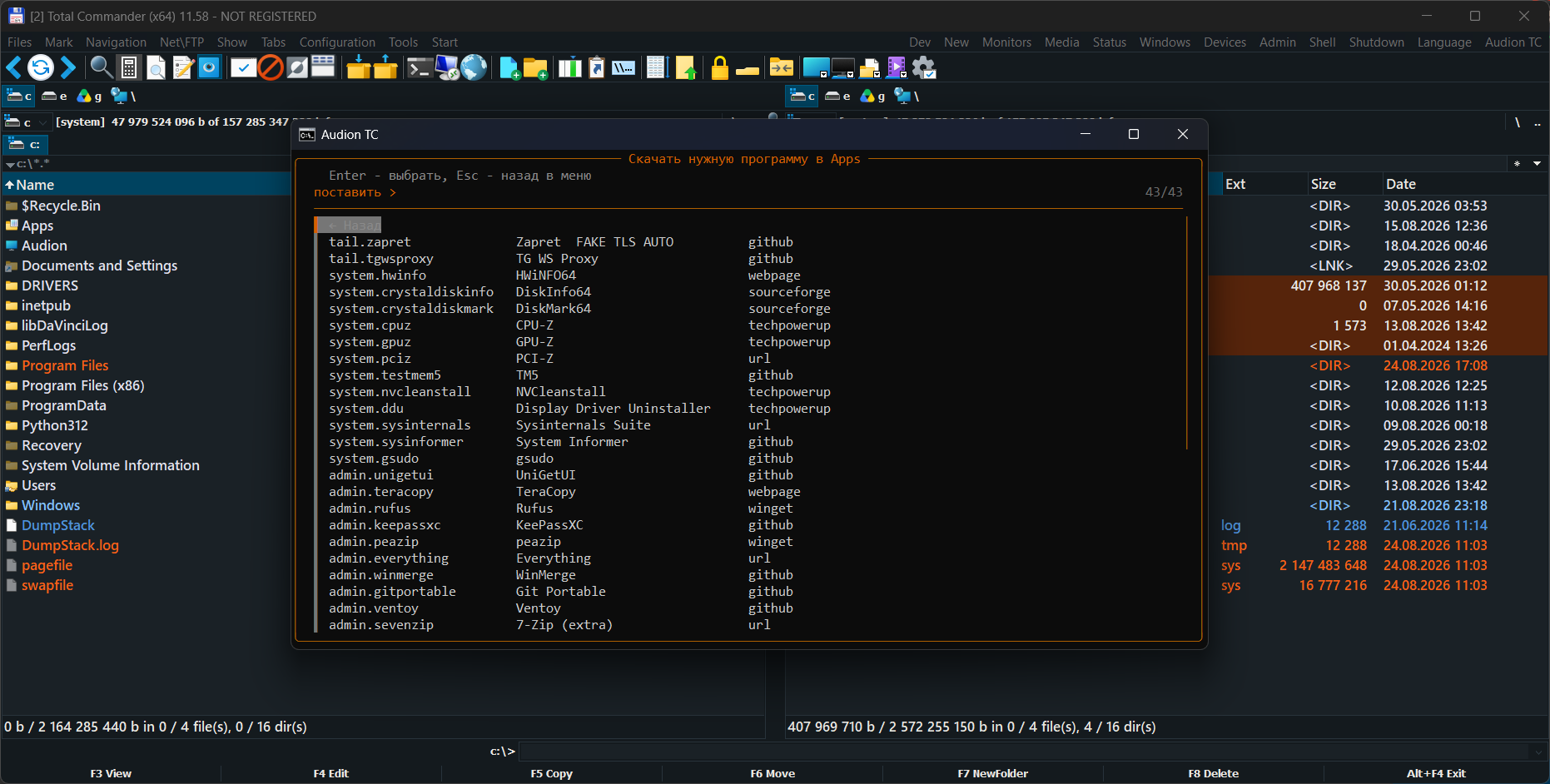
A full installation of the well-known file manager, tuned in fine detail across almost everything it can do today: a broad choice of editors, menus and system settings — without leaving the panels. Eight megabytes of configuration instead of a hundred and thirty, and not one foreign file. Total Commander itself is not here and is not modified: only our own travels — panels, menus, colours, scripts, configs — and lands on a fresh program as a whole. If the manager is not installed yet, the kit fetches it from the developer's site itself: the installer is read directly, without third-party unpackers. For anyone who wants to hand a colleague their working setup rather than a build with someone else's files inside. Would rather not install anything? Take TC Portable.
9 downloads from GitHubAudion Setup for Total Commander
A file manager configuration that can be distributed.
Why It Exists
A configured file manager means panels, menus, colours, shortcuts, embedded scripts. It takes years to assemble and travels badly: the settings are spread across several files, some in a non-standard encoding, some tied to paths.
The Central Decision
The manager itself is not included and is not modified.
The package contains only what is ours: panels, menus, colours, scripts, configuration. All of it is applied to a freshly installed manager as complete baselines — not piecemeal, and not by editing what is already there.
From which the main point follows: the package can be distributed. It contains no third-party program, so there is no question of the right to redistribute one.
Next
- Run
Setup_En.exein the root (Setup_Ru.exeis the same wizard in Russian):
it asks where to install, which set (Initial / Audion / Ultimate, or a profile by occupation), which menu language, and which programs, editors and plugins you want. It fetches Total Commander itself.
- If the way out goes through a proxy - the "Proxy" button in the top corner of the window:
an address like http://127.0.0.1:8080 or socks5://name:password@10.0.0.5:1080, and the button knocks through it before taking it. The address is yours alone: none sits in the code, it lives only while the window is open and reaches the installation through the environment - neither disk nor log sees it, so a password in it leaves no trace.
- The build speaks one language throughout, and the Total Commander menu sets it:
the console, the program installer, the picker and the atlas read the choice from Wincmd.ini and answer in it. To switch, use the "Interface language" item. A German menu gets English scripts — the manager has a German translation, our strings do not.
- The build's documentation lives in
Payload\Docs\:USER_GUIDE.mdfor the
daily work, PROJECT.md for how it is built.
The program is portable: the unpacked folder is the installed program. Nothing is written to the registry; to uninstall, delete the folder.
$name = "Audion_Setup_for_Total_Commander_v3.2.0_Full.zip"
Invoke-WebRequest "https://audion.dev/get/setup-for-total-commander/3.2.0/Audion_Setup_for_Total_Commander_v3.2.0_Full.zip" -OutFile $name
Invoke-WebRequest "https://audion.dev/get/setup-for-total-commander/3.2.0/Audion_Setup_for_Total_Commander_v3.2.0_Full.zip.sha256" -OutFile "$name.sha256"
$want = (Get-Content "$name.sha256").Split(" ")[0]
$have = (Get-FileHash $name -Algorithm SHA256).Hash.ToLower()
if ($want -ne $have) { throw "checksum mismatch: the download is corrupt" }
Expand-Archive $name -DestinationPath ".\setup-for-total-commander"