

TC Portable
github.com/Tensionix/tc-portable ↗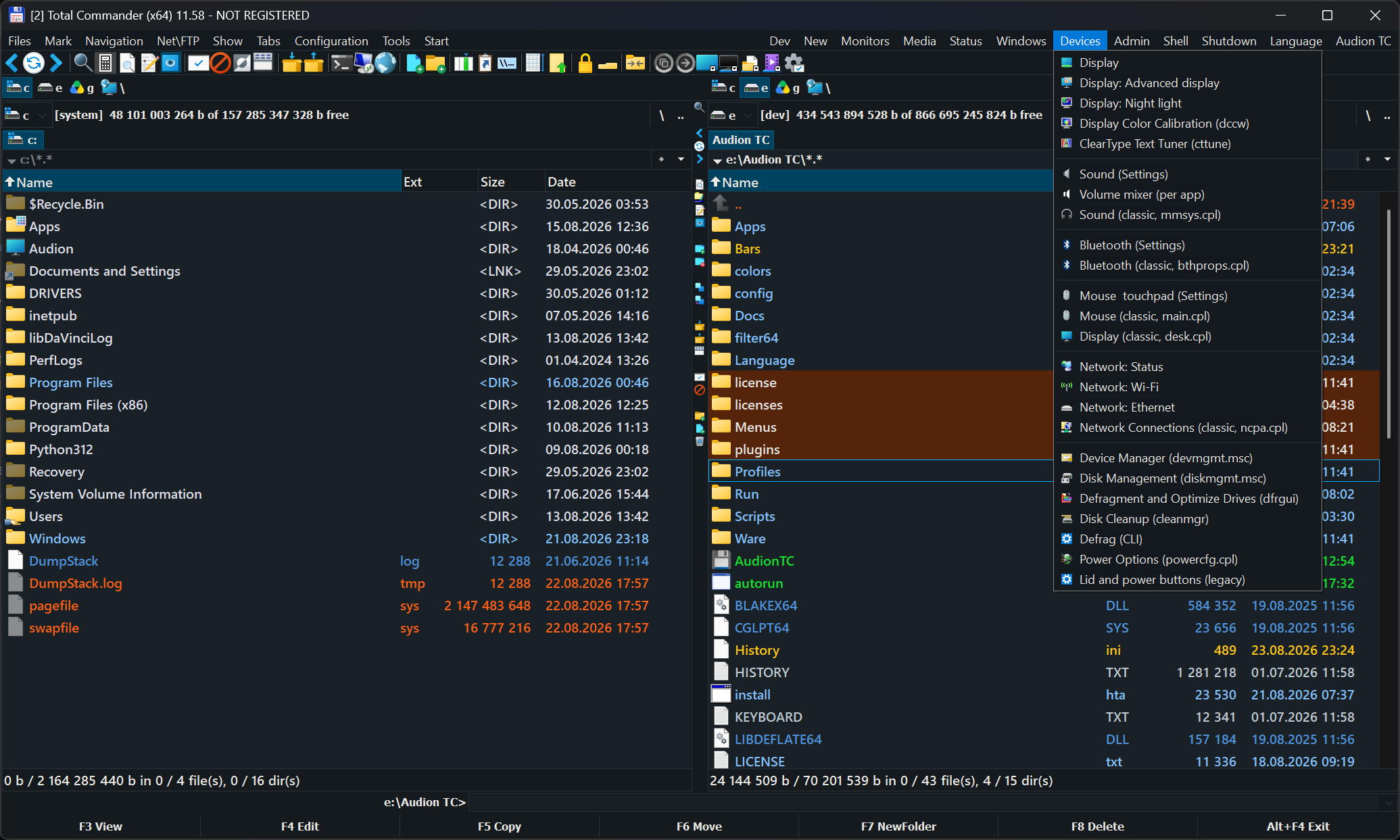
Ein fertiges Total-Commander-Paket: ein reichhaltiges Menü, Windows-Einstellungen und Installation sowie Updates bekannter freier Programme, ohne deren Einstellungen zu verlieren. Das muss man gesehen haben. Ordner kopieren und arbeiten.
2 Downloads über GitHubAudion TC Portable
A configured file manager that travels as a folder.
Why It Exists
A file manager is configured once and used for years: panels, colours, menus, shortcuts, built-in tools. Reinstall the system or move to another machine, and all of it has to be reassembled from memory.
Here the configuration lives with the program. Copy the folder and you have the same manager, with the same panels and the same buttons.
How to Use It
Inside is the "Audion TC" folder. Copy it anywhere — a USB stick will do — and run it from there.
Nothing is written into the system. Deleting the folder removes the program entirely.
The interface opens in English. Russian is one click away: the "Language" menu.
Next
- User Guide — what is inside and how to configure it (Russian).
Das Programm ist portabel: der entpackte Ordner ist das installierte Programm. In die Registry wird nichts geschrieben; zum Entfernen den Ordner löschen.
$name = "Audion_TC_Portable_v2.2.1_Full.zip"
Invoke-WebRequest "https://audion.dev/get/tc-portable/2.2.1/Audion_TC_Portable_v2.2.1_Full.zip" -OutFile $name
Invoke-WebRequest "https://audion.dev/get/tc-portable/2.2.1/Audion_TC_Portable_v2.2.1_Full.zip.sha256" -OutFile "$name.sha256"
$want = (Get-Content "$name.sha256").Split(" ")[0]
$have = (Get-FileHash $name -Algorithm SHA256).Hash.ToLower()
if ($want -ne $have) { throw "Prüfsumme stimmt nicht: der Download ist beschädigt" }
Expand-Archive $name -DestinationPath ".\tc-portable"